Abstract
When allocating overhead costs to products you often encounter the fact that the resulting sum of allocated overheads does not equal the original cost sum. Due to rounding differences you frequently face a little cent difference. In this case the user defined function RoundToSum can help.
A real-life Example
We present an allocation of overheads where all individual cent values accurately add up to their intermediate or final sums.
First you define how the overheads have to be allocated to support cost centres:
| Key | per Head | sqm | uniform | Weighted |
|---|---|---|---|---|
| Total | 102 | 2685 | 14 | 16 |
| Management | 1 | 50 | 1 | 2 |
| Secretariat | 1 | 40 | 1 | 1 |
| Accounting | 3 | 100 | 1 | 1 |
| Controlling | 1 | 30 | 1 | 1 |
| HR | 2 | 50 | 1 | 1 |
| Marketing | 3 | 50 | 1 | 2 |
| Trainees | 3 | 1 | 1 | |
| Workers Council | 1 | 15 | 1 | 1 |
| Factory 1 | 12 | 250 | 1 | 1 |
| Factory 2 | 10 | 350 | 1 | 1 |
| Car Park | 100 | 1 | 1 | |
| Production1 | 20 | 500 | 1 | 1 |
| Production2 | 20 | 550 | 1 | 1 |
| Production3 | 25 | 600 | 1 | 1 |
The first allocation of overheads uses a rounding correction so that all summands accurately sum up on support cost centre level:
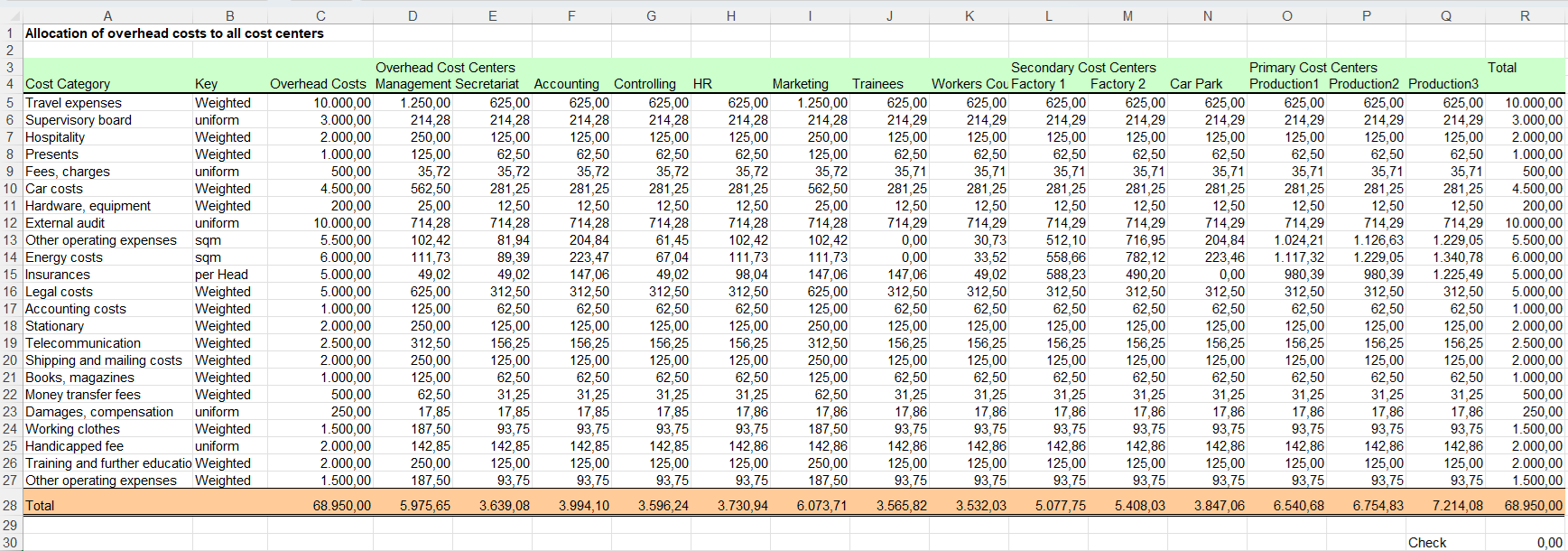
The second allocation of overheads also uses a rounding correction so that all support cost centres get accurately distributed to products:
| Secondary Cost Center | Key | Production1 | Production2 | Production3 | Total |
|---|---|---|---|---|---|
| Management | Weighted | 30% | 40% | 30% | 100% |
| Sekretariat | Weighted | 40% | 50% | 10% | 100% |
| RW | Weighted | 30% | 13% | 57% | 100% |
| Controlling | uniform | 1 | 1 | 1 | 3 |
| Personal | per Head | 20 | 20 | 25 | 65 |
| ÖA/Werbung | Weighted | 30% | 42% | 28% | 100% |
| Auszub. | uniform | 1 | 1 | 1 | 3 |
| Betriebsrat | per Head | 20 | 20 | 25 | 65 |
| Werkstatt 1 | Weighted | 25% | 20% | 55% | 100% |
| Werkstatt 2 | Weighted | 20% | 20% | 60% | 100% |
| Fuhrpark | Weighted | 40% | 30% 3 | 0% | 100% |
The final result:
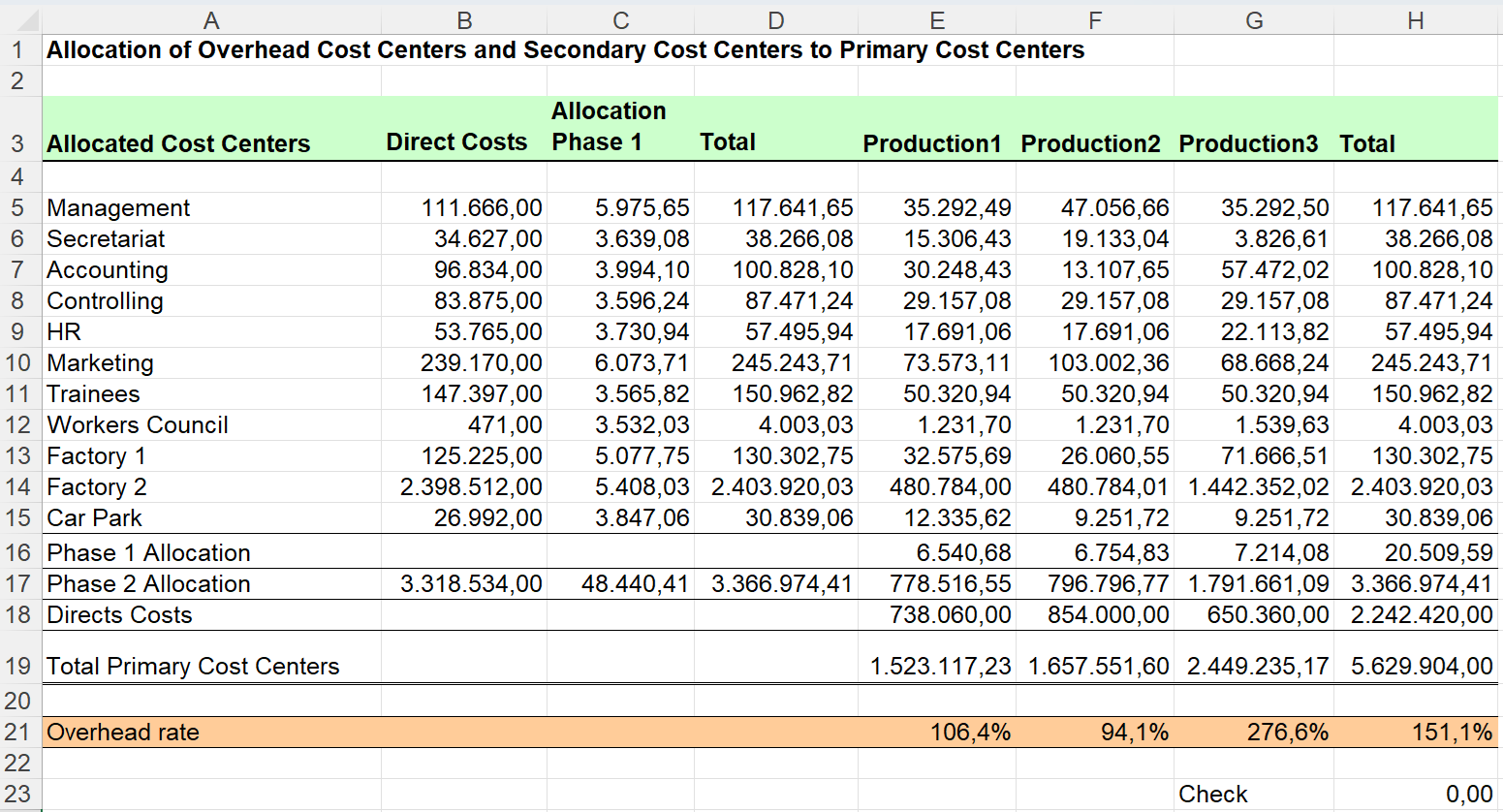
This correct allocation of overheads you will be able to enter into a general ledger.
Download
Please read my Disclaimer.
Allocation_of_Overheads.xlsm [245 KB Excel file, open and use at your own risk]
Note: A comprehensive documentation of my Excel implementations can be found in Excel VBA A Collection.